

I Made An App…
The App: CLING: Tactical Theology

Here are the links to download the app!
It’s Here
This has been quite the project and quite the journey, but it’s finally available on iOS.
I love other Bible apps, and in a lot of ways I’ll still use them, but I had my own preferences for what I wanted in a Bible app. I found things missing from other apps that I thought were extremely useful and if they weren’t missing then you would have to have a separate app to have what you want. I find this cumbersome and at times annoying.
So I set out to create my own.
I created something that I knew I would use every day and that would help me lead others and grow in my love for Christ.
With this, I hope what I enjoy will spill over and become your enjoyment as well!
So, let me show you what’s in this app!
Cling: Tactical Theology
The Cling app is broken down into 4 categories: Read, Memorize, Journal, and Grow.
While these categories may sound familiar, what you will find in their tabs is unique.
Let me show you….
The Home Tab
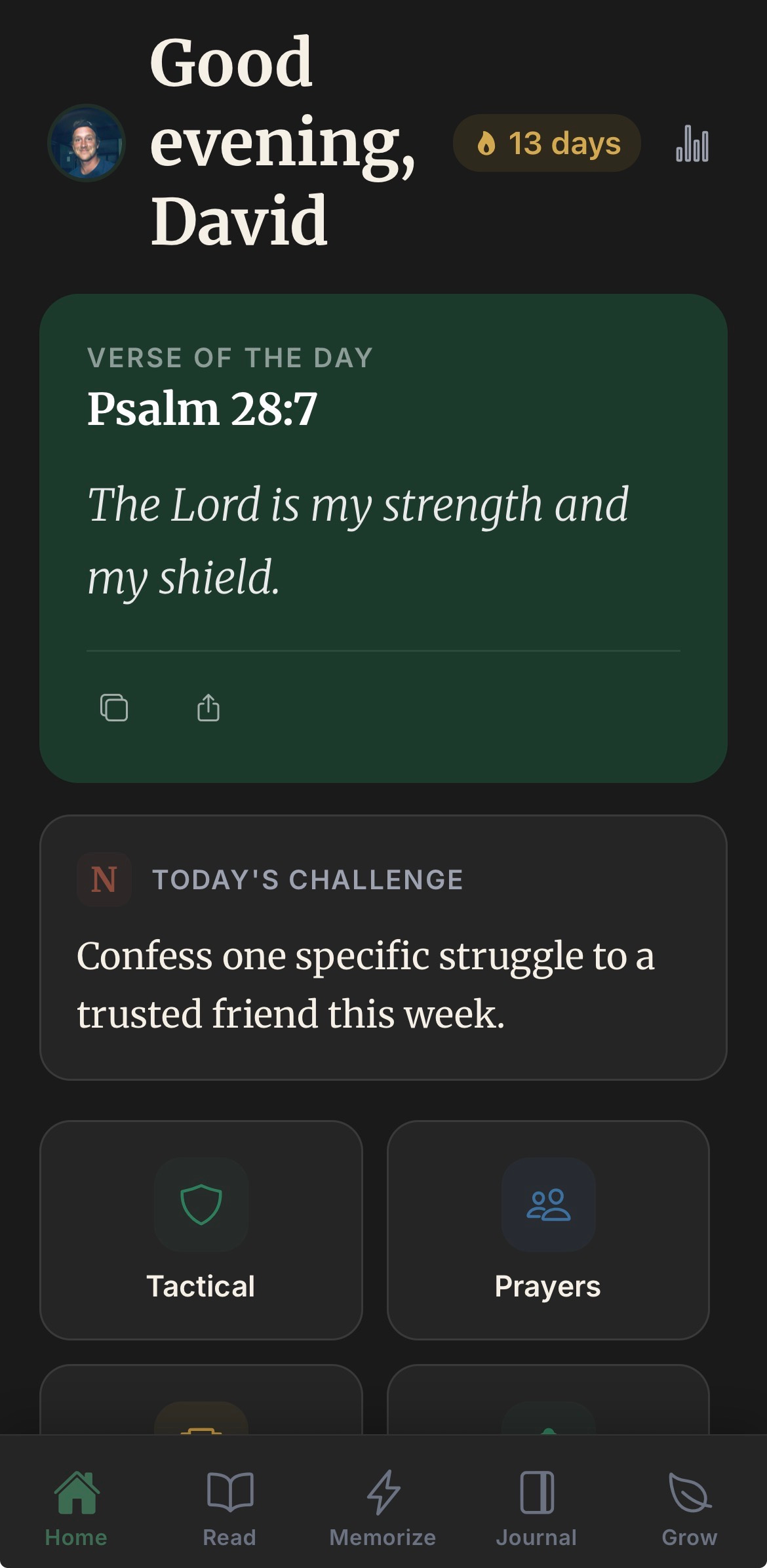
This tab is your cheerleader. It’s going to welcome you every day, it’s going to keep track of your progress and activities, remind you to keep clinging, and more than this , it’s going to challenge you.
The daily challenge is based off of the C.L.I.N.G acronym I developed in Help On Killing Sin. Each day you receive a challenge based on one of these letters in cling.
But, what if you forgot what C.L.I.N.G stands for? Don’t worry! I have you covered!
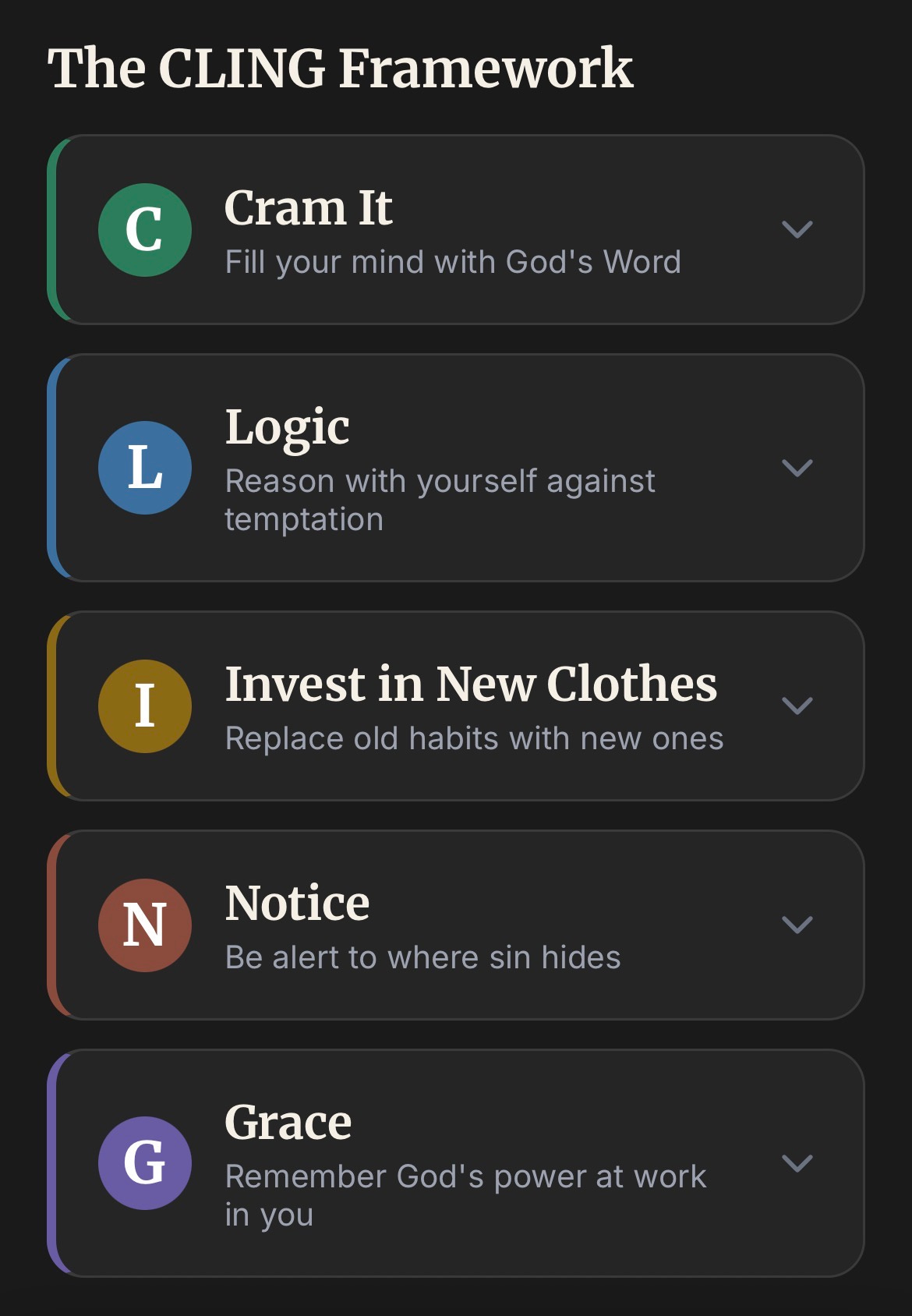
At the bottom of the page you can review it daily!
After the challenge part you have 4 boxes: Tactical, Prayer, Badges, and Reminder.
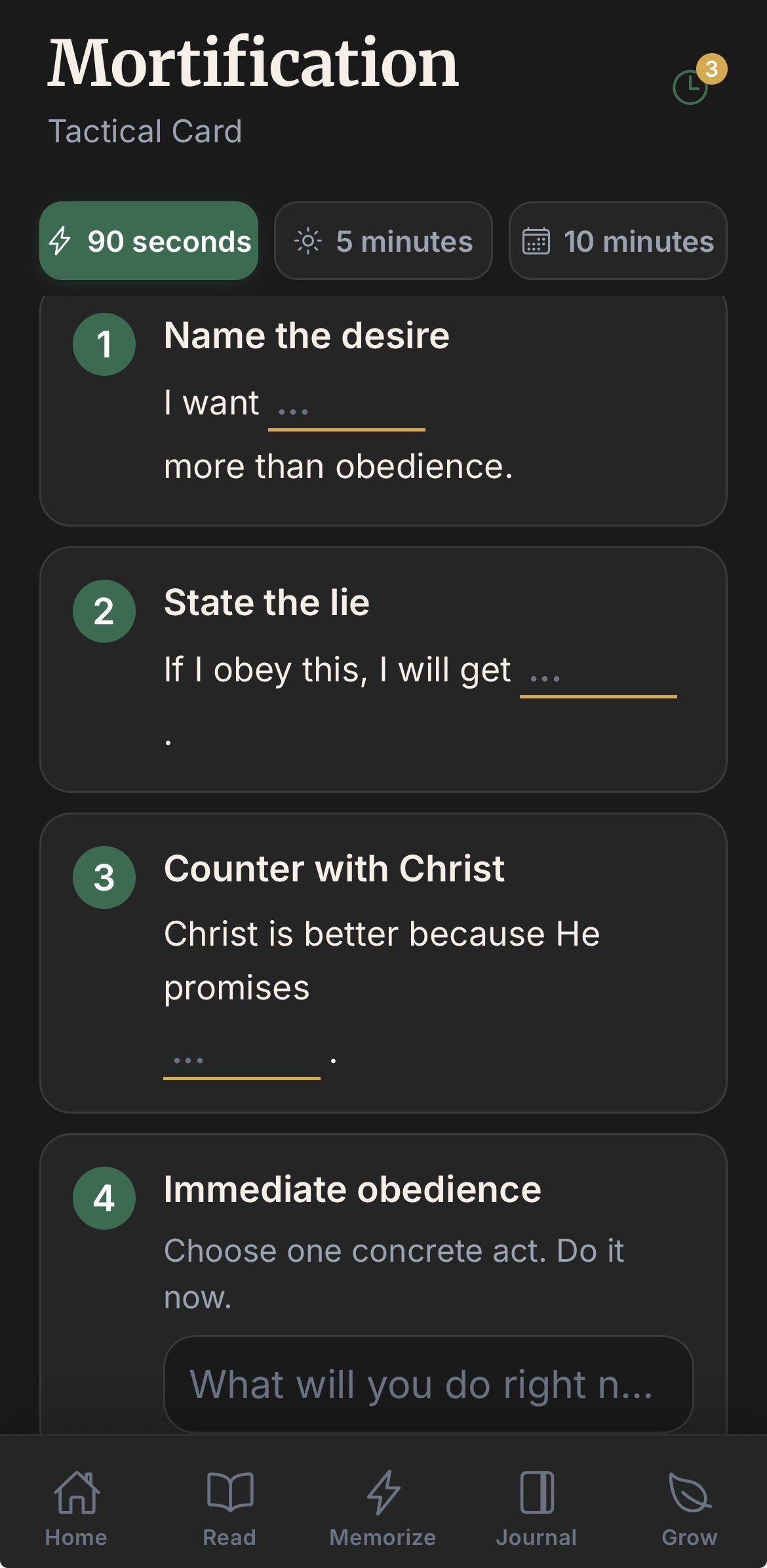
Tactical: This is the place to help you notice where sin is continually being a problem in your life. It will ask you simple questions and then ask you how Christ is better. These are saved throughout your week so that you can see patterns in your life. This is a practical tool and inspired by John Owen who said, “kill sin or it will be killing you.”
Each piece: 90 seconds, 5 minutes, 10 minutes builds up through the week with more thought provoking questions.
Prayer:
This is a community prayer wall. You add your prayer request to the wall and others can pray for them. Each prayer is personally approved by admin so that as we approve them, we pray for each.
Badges:
This is simple milestones you will reach as you use the app. It’s something that is encouraging and fun.
Reminder:
If you click on this, you will get a small notification reminding you to cling to Christ that day.
Guided plans
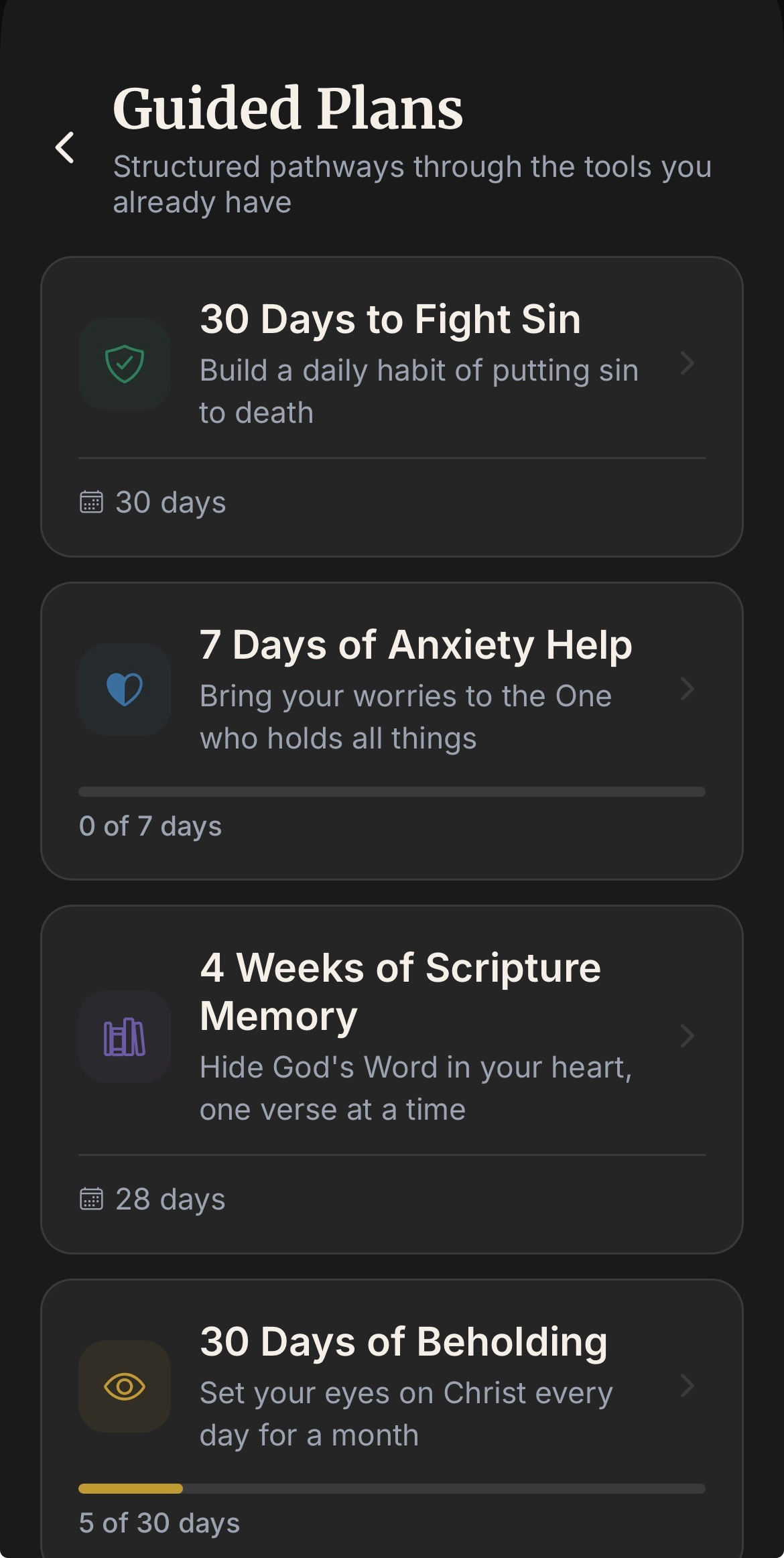
Another thing you will see, and I hope to involve you in, is guided plans. I have simple plans that help you fight sin and encourage you to cling to Christ.
But, what’s better, is that I can add any plan I want in the future….
What does that mean?
Well, I want you to share in the encouragement of others by allowing me to take your writing and turning them into plans for others to follow!
You can send me a pdf of your writing or plan idea and we can add them throughout the months ahead! You are so supportive of me and I want to support you too!
This app is free and I’m not in this to get money. I’m in this to encourage people to cling to Christ. So, send me your ideas and message me and I’ll begin to make this something special for all of us!
Profile/Settings
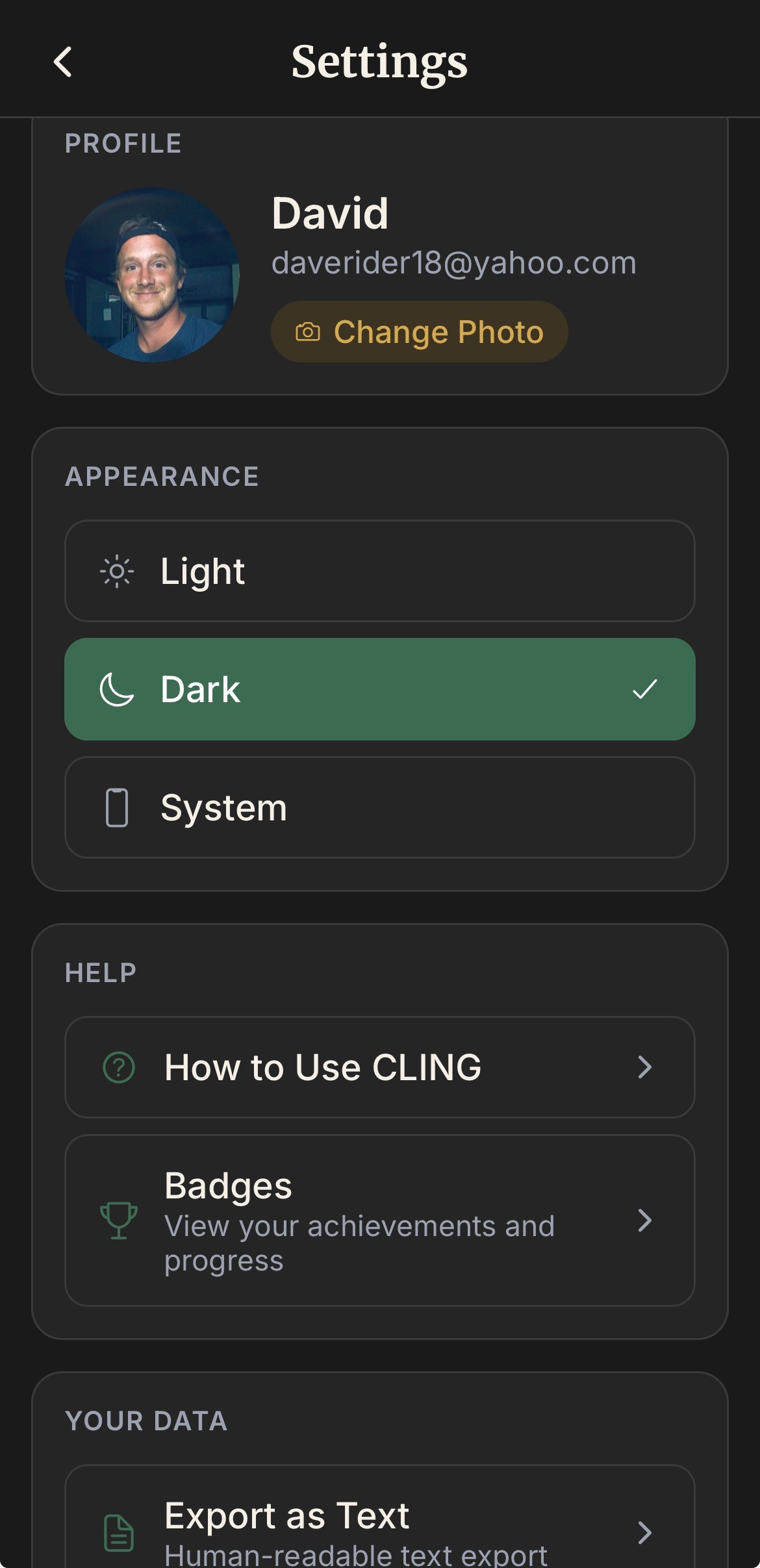
Here is where you can change your picture, switch from light to dark mode, export all your notes that you accumulate while using the app (This is a very great feature and most apps don’t allow this), and where you can contact me and even suggest features!
Read Tab
The read tab is, of course, the Bible. It has the Old Testament and New Testament. The translations so far: WEB translation (based off of the 1901 American Standard Version) and KJV. I have put in the application for ESV and I’ll know more about that soon. This will change as the app grows. But for now, this is what we have.
D,G,C Markings
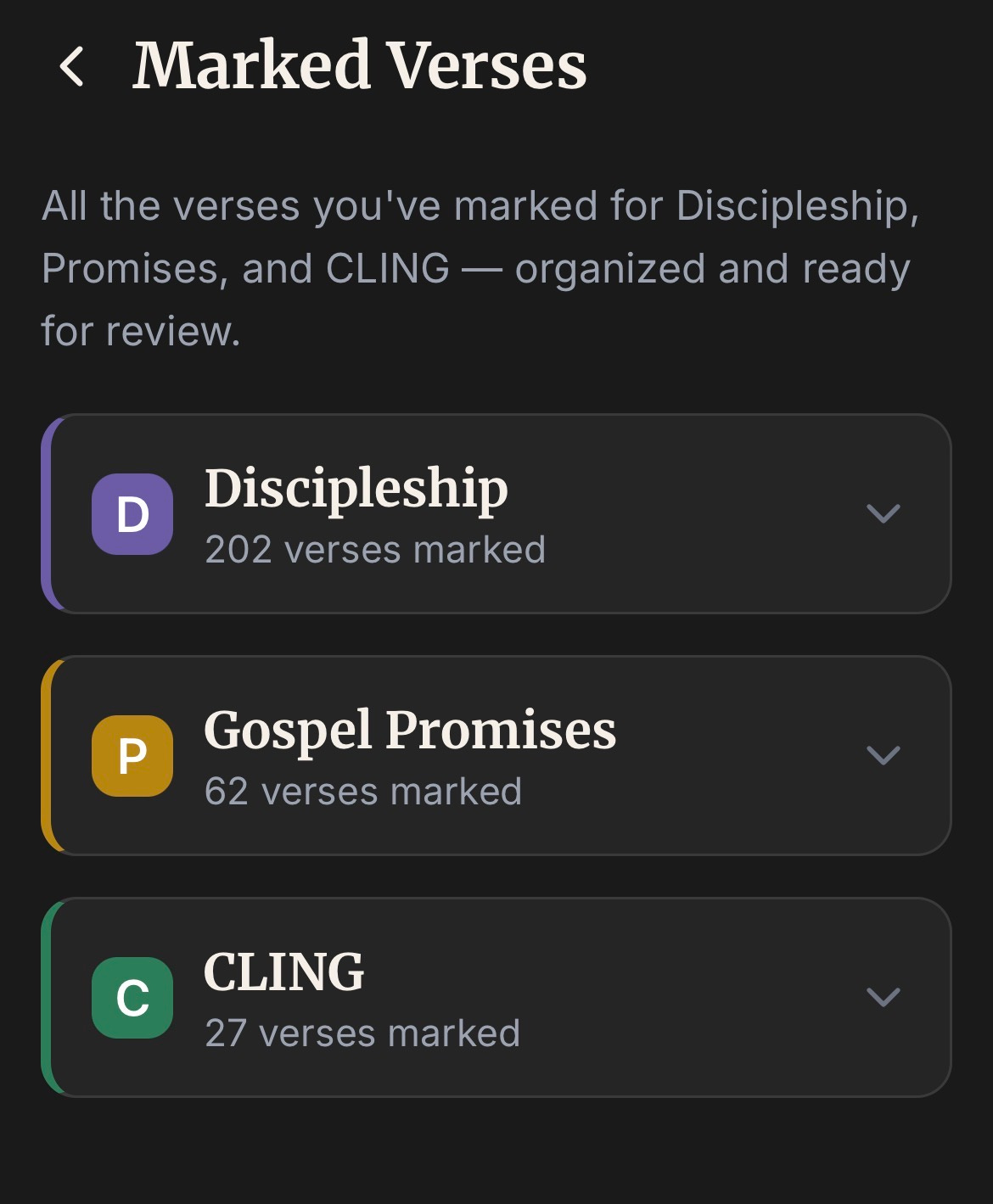
In the read tab you will notice a marked verses tab. This tab are verses you mark as: D: Discipleship, G:Gospel, or C:Cling.
These 3 categories are to become encouragement and support for when leading others. So, let’s say you read a verse and think, “this will be helpful for my next coffee with Bob.” Then you mark the verse with a D.
Or, let’s say you read something that really touches your heart and you know it is useful for fighting sin, encouragement, or maybe just makes Christ appear more beautiful, then you mark a C or a G next to the verse.
Once marked, you will have them all together for special purposes!
Yearly Plan and Scripture Search
Both of these are available in the Read Tab.
Reading Tools
When you are reading and you select a verse, there are many things that you can do.
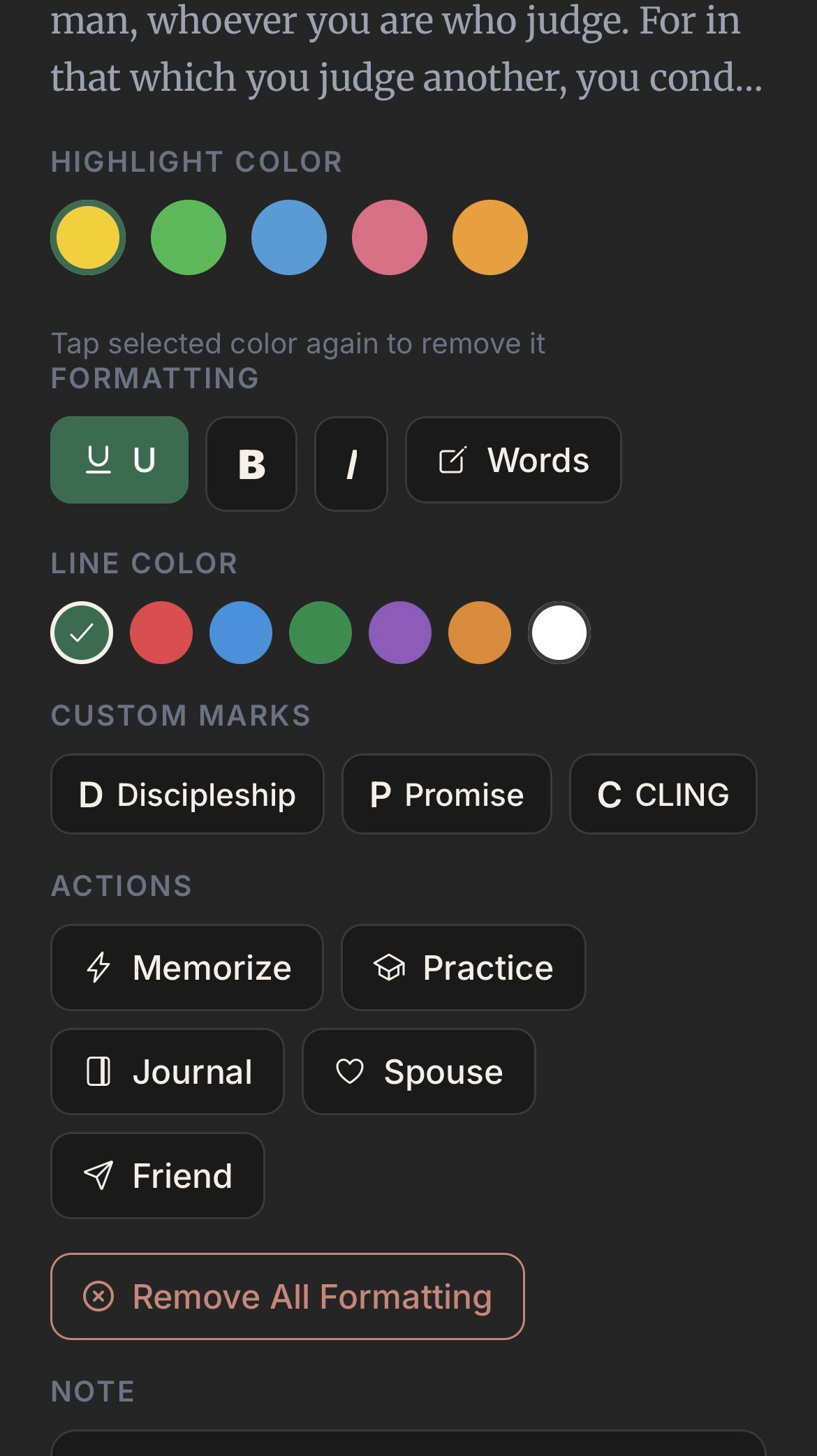
As you can see by the picture you can interact with the text. You can highlight, underline, make the text bold or italic, and if you click the words box, you can circle words.
After that you can see the D,P (which is Gospel Promise), C marks as I mentioned above.
In the actions part you can: add the verse straight to your memory page, you can practice memorizing the verse right on the spot with practice, you can hit the journal button and you will go straight to the journal tab to start writing, then you can share the verse with your spouse in the marriage section or with a friend.
Lastly you can add and save a note.
This is full of fun stuff!
Scripture Memory
This tab allows you to review verses you add from the read tab and allows you to add your own verses. There are also recommendation verses if you can’t find a place to start.
Journal Tab
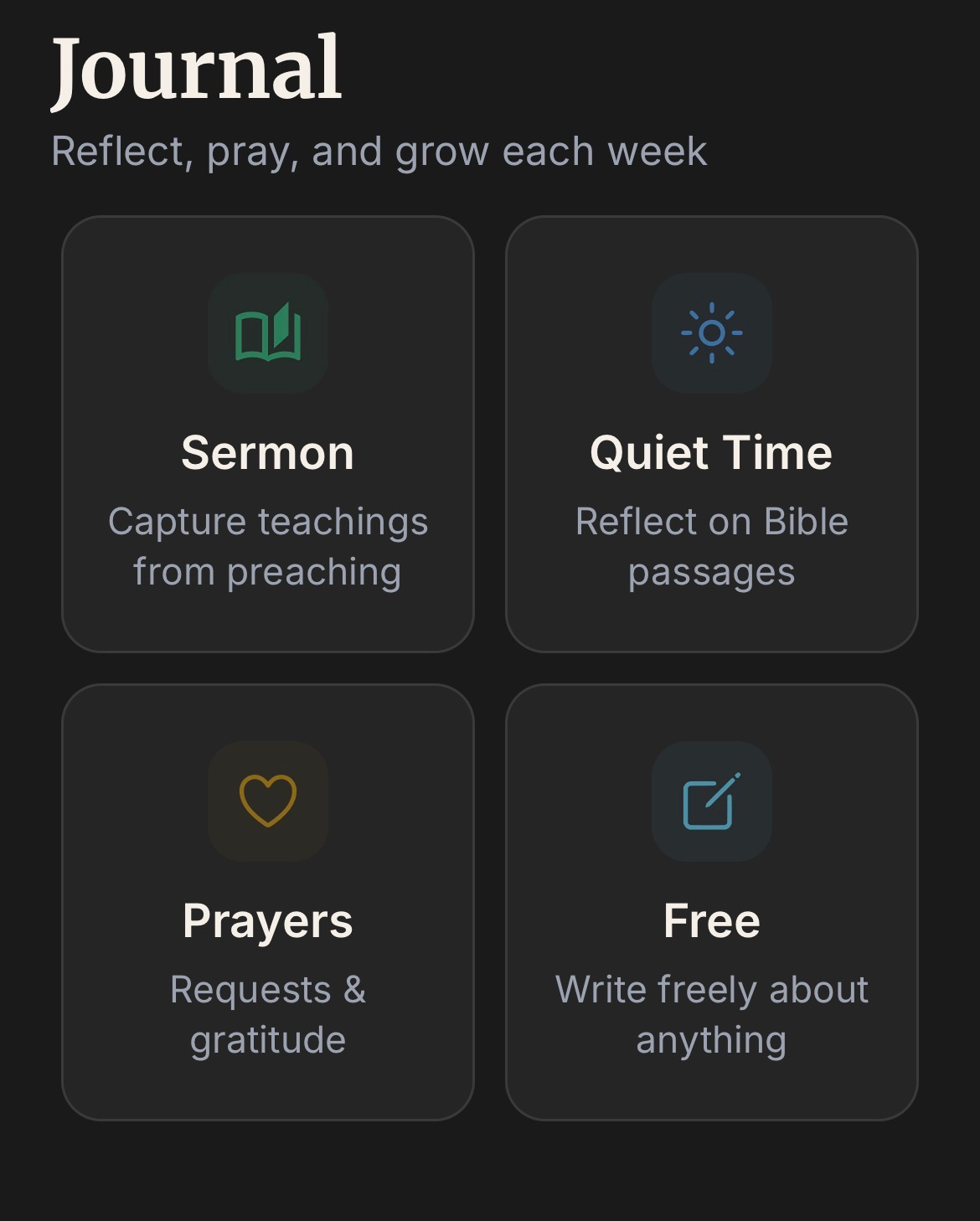
This is where you will write.
The sermon box allows you to follow along on Sunday morning, the quiet time box guides you through a quiet time with a passage of your choice, the prayer box allows you to write down your prayer list or your prayers in full, and the free box is where you can journal about anything you want. Everything is saved and can be reviewed. If you want to keep it off the app, then go ahead and download everything to your files!
Grow Tab
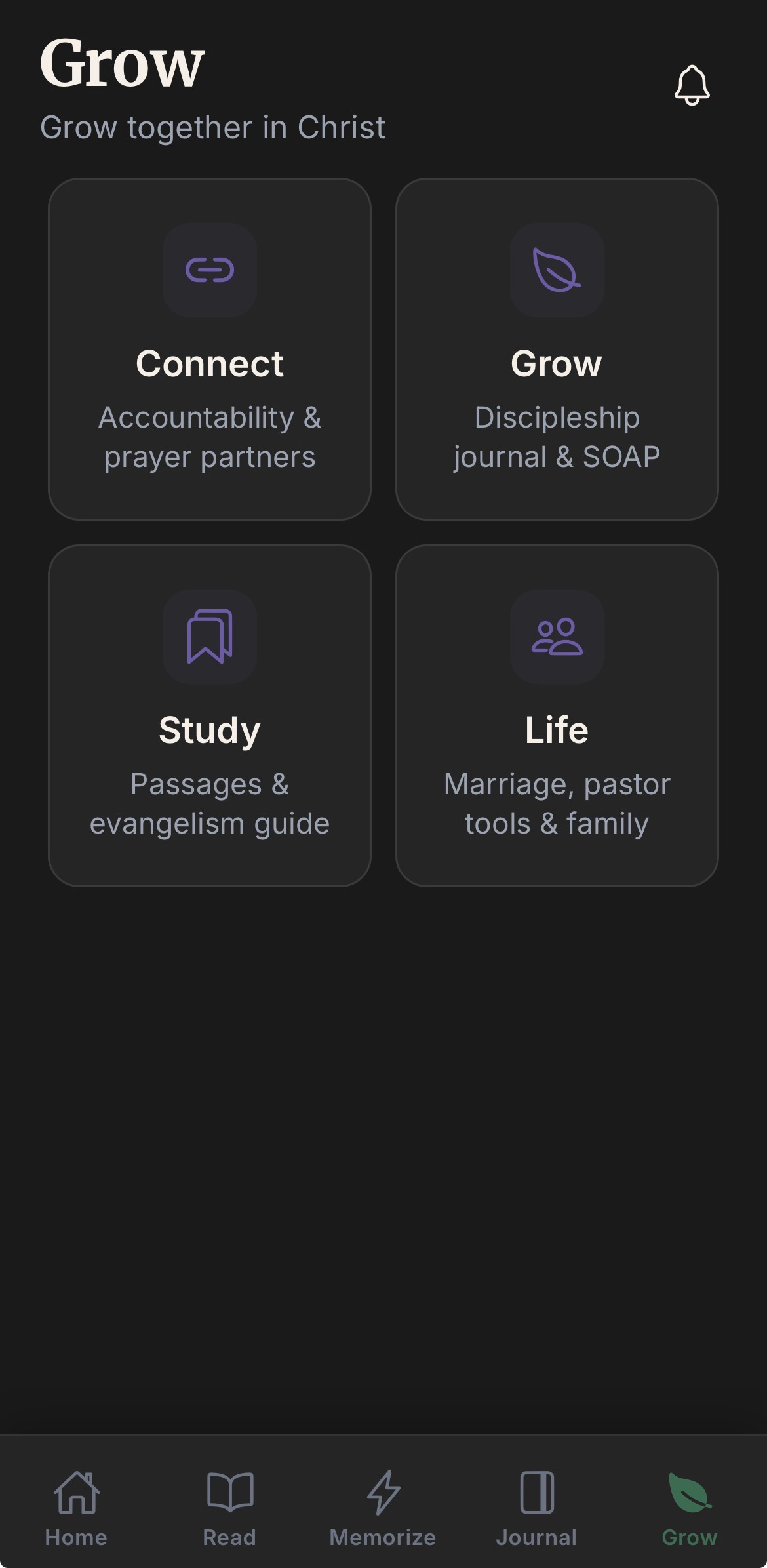
My final and favorite tab.
The connect box allows you to add friends in the app and even message them directly to see how they’re doing. There is also an option to add a mentee/mentor relationship. With this you can assign people you are mentoring task for their week! This is so cool!
The grow box is where you will journal about your discipleship moments. You can write how the meeting went for coffee, what needs talked about next, and how you can pray for the person you met with. Again, super helpful.
There’s also verses for sharing the gospel like the Roman’s road, for how to do a quiet time, and so much more to be used while guiding others.
The life box is where you can do family devotions in the app. You can make a group and walk through a plan together as a family or as friends. You could even do this as a small group.
You can connect with your spouse in the marriage section. You can write prayers for your spouse, you can find those shared verses from the read section, you can do a plan together, and you can even send love ❤️ notes. I personally love that part.
More than this, if you are a pastor, and away from your desk, there’s a place for you to joy down your thoughts for a sermon, and even a place to keep track of your sheep! Check it out!
This app is for your life as a Christian in the most practical way and I hope you love it! I hope you share it with your friends and family and that you go through the plans and read together more! I hope that you cling to Christ!
There’s more to be fixed and more to add in the future, but here it is!
The app is free and available on iOS:
If you want to add me as your first friend, go to the grow tab, hit connect, add friend, and my email is daverider18@yahoo.com
I hope you like it!
See you there!
Im so impressed with how intricate and in depth you thought through each aspect of the app. Really, really excited to add this into my day to day study tools. Thank you for the incredible work you’ve done here. Excited to see how this journey expands and grows with you and for the Kingdom! 👏🏽📖✝️🕯️✨
Such a niicee and practical tool for every believer...Hopeful and praying it reaches to usss🙏🏿...android users